
Businesses generate more data than ever, but having access to large amounts of information does not automatically lead to better decisions. Sales platforms, customer relationship management systems, marketing tools, financial applications, ecommerce platforms, websites, cloud environments, and internal databases continuously produce valuable data. The real challenge is turning that information into useful insights quickly enough to support business decisions.
Traditional business intelligence processes often require analysts to collect data, clean spreadsheets, build dashboards, write queries, identify trends, prepare reports, and explain the results to decision-makers. Although these processes remain valuable, they can become slow and repetitive when organizations need real-time or continuous analysis.
This is where AI agent automation is becoming increasingly important. AI agent automation combines artificial intelligence, data processing, reasoning, workflow automation, and business intelligence to create systems that can perform multi-step analytical tasks with limited human intervention. Instead of simply answering a question, an AI agent can potentially collect relevant data, analyze it, identify anomalies, compare performance against historical patterns, generate insights, and recommend the next action.
For businesses, this creates a shift from passive reporting to proactive intelligence. A traditional dashboard may tell a sales manager that revenue decreased by 12%. An AI-powered agent can go further by investigating which regions, products, customer segments, or sales channels contributed to the decline and then explain the most likely causes.
The goal is not to remove human decision-makers. Instead, AI agent automation helps teams spend less time manually processing information and more time interpreting insights, validating decisions, and executing business strategies.

What Is AI Agent Automation for Data Analysis?
AI agent automation for data analysis refers to the use of autonomous or semi-autonomous AI agents to perform repetitive, multi-step data analysis workflows. Unlike conventional automation, which usually follows predefined rules, AI agents can use contextual information and reasoning capabilities to determine what steps should be taken to complete a task.
For example, a traditional automation workflow may follow this sequence:
Collect data → Transform data → Generate report → Send email
An AI agent automation workflow can be more adaptive:
Understand business question → Identify relevant data sources → Retrieve data → Analyze patterns → Validate findings → Generate insights → Recommend actions → Notify the appropriate team
This distinction is important because business questions are rarely identical every day.
A sales leader may ask:
“Why did our pipeline conversion rate fall this month?”
An AI agent can potentially investigate CRM records, compare conversion rates with previous periods, segment the data by sales representative and region, identify unusual changes, and produce an explanation.
The agent is therefore operating as an analytical assistant rather than simply executing one predefined command.
How AI Agent Automation Is Changing Business Intelligence
Business intelligence has traditionally focused on helping organizations understand what happened.
For example:
- Revenue increased by 8%.
- Website traffic decreased by 15%.
- Customer churn increased by 4%.
- Marketing-generated leads increased by 20%.
- Average order value declined by 7%.
AI agent automation can expand this process into several additional layers.
| Intelligence Layer | Traditional BI | AI Agent Automation |
|---|---|---|
| Historical analysis | Strong | Strong |
| Dashboard reporting | Strong | Strong |
| Natural-language questions | Limited to some platforms | Strong |
| Automated investigation | Limited | Strong |
| Anomaly detection | Rule-based | Context-aware |
| Forecasting | Available through specialized tools | Can be integrated into workflows |
| Recommendations | Limited | More proactive |
| Workflow execution | Usually separate | Can be connected to agents |
| Continuous monitoring | Available | Highly automated |
| Multi-step reasoning | Limited | Core capability |
The major change is that intelligence can become more interactive, contextual, and action-oriented.
From Dashboards to Autonomous Business Intelligence
Dashboards remain useful because they provide structured visibility into business performance. However, dashboards require users to interpret the information.
Consider a dashboard showing declining revenue.
A human analyst might need to investigate:
- Which products declined?
- Which regions were affected?
- Did customer acquisition change?
- Did advertising costs increase?
- Did conversion rates decrease?
- Did existing customers purchase less frequently?
- Was there a technical issue?
- Is the decline seasonal?
With AI agent automation, an analytical agent can potentially perform many of these investigations automatically.
Instead of waiting for an analyst to discover the problem, the system can continuously monitor business data and identify meaningful changes.
This creates a more proactive BI model:
Data → Monitoring → Detection → Investigation → Insight → Recommendation → Action
That workflow represents one of the biggest opportunities for AI-powered business intelligence.
How AI Agent Automation Works in Data Analysis
AI agent automation typically combines several technologies rather than relying on a single AI model.
The architecture may include data sources, APIs, databases, data warehouses, analytics systems, large language models, machine learning models, orchestration layers, business rules, and human approval mechanisms.
A simplified architecture looks like this:
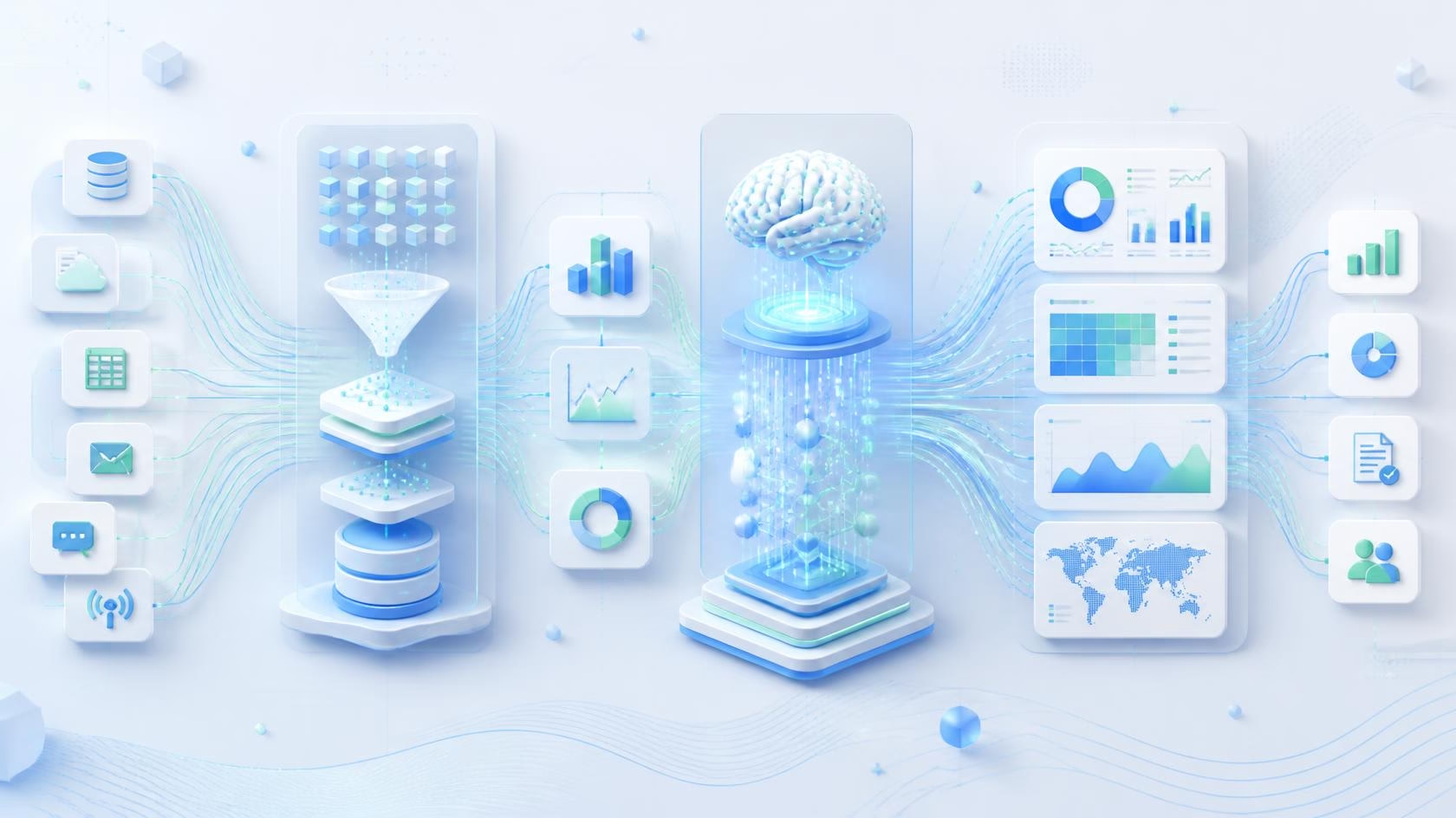
Business Data → Data Integration → Data Processing → AI Agent → Analytical Tools → Insight Generation → Business Workflow
The AI agent acts as the reasoning layer between business questions and analytical systems.
1. Data Collection
The first step is accessing relevant information.
Businesses may have data distributed across:
- CRM systems
- ERP platforms
- Marketing automation tools
- Ecommerce platforms
- Financial systems
- Customer support platforms
- Product analytics systems
- Databases
- Data warehouses
- Cloud applications
- Spreadsheets
- APIs
AI agent automation can connect to these systems through APIs, connectors, database queries, or other approved integration methods.
The objective is not simply to collect everything. A good system identifies the data relevant to the analytical task.
2. Data Preparation
Raw business data often contains inconsistencies.
Common problems include duplicate records, missing values, inconsistent naming conventions, incorrect formats, outdated information, and disconnected datasets.
AI agent automation can assist with data preparation by identifying potential quality issues and triggering predefined cleaning or validation processes.
For example, if a company has customer information stored across multiple systems, an agent could identify inconsistent customer identifiers and request or trigger a data-matching process.
Human oversight remains important for sensitive or high-impact data transformations.
3. Data Analysis
Once the data is available, the agent can use analytical tools to investigate it.
Depending on the business requirement, the workflow may involve:
- SQL queries
- Statistical analysis
- Machine learning models
- Forecasting
- Segmentation
- Trend analysis
- Correlation analysis
- Anomaly detection
- Cohort analysis
- Time-series analysis
The AI agent does not necessarily perform every calculation itself. Instead, it can determine which analytical method or tool is appropriate for the question.
4. Insight Generation
Raw numbers are not always useful to business leaders.
The agent can transform analytical results into understandable explanations.
For example:
Raw finding:
“Conversion rate decreased from 4.8% to 3.7%.”
Business insight:
“Pipeline conversion declined primarily because mid-market opportunities in the North region are taking longer to move from qualification to proposal. The decline is concentrated among newly assigned accounts.”
The second version is much more useful for decision-making.
5. Recommendation
AI agent automation can add another layer by suggesting potential actions.
For example:
- Review stalled opportunities.
- Reallocate advertising budget.
- Investigate inventory shortages.
- Increase retention campaigns.
- Contact high-value customers.
- Adjust sales territory allocation.
- Review underperforming products.
Recommendations should be treated as decision support rather than unquestionable instructions.
Key Use Cases of AI Agent Automation in Business Intelligence
The potential applications of AI agent automation extend across almost every department that relies on data.
1. Automated Sales Analysis
Sales teams generate enormous amounts of data through CRM systems.
An AI agent can analyze:
- Lead volume
- Pipeline value
- Conversion rates
- Deal velocity
- Sales cycle length
- Win rates
- Lost opportunities
- Representative performance
- Territory performance
- Account activity
Instead of requiring managers to manually investigate every change, AI agent automation can identify unusual patterns.
For example, if pipeline value increases while expected revenue remains flat, the agent could investigate whether the increase is caused by low-quality opportunities.
This helps sales leaders focus on pipeline quality rather than simply pipeline volume.
2. Marketing Performance Intelligence
Marketing teams often manage multiple channels simultaneously.
Data may come from:
- Search advertising
- Social media
- Email marketing
- Organic search
- Content marketing
- Web analytics
- Lead generation platforms
AI agent automation can combine these datasets to identify performance trends.
An agent could answer questions such as:
- Which campaigns generate the highest-quality leads?
- Which channels have declining conversion rates?
- Which content contributes to pipeline?
- Where is customer acquisition cost increasing?
- Which campaigns should receive additional attention?
This moves marketing analytics beyond simple traffic and click reporting.
3. Financial Analysis
Finance teams can use AI agent automation to monitor financial metrics and identify unusual changes.
Potential applications include:
- Expense analysis
- Revenue forecasting
- Cash-flow monitoring
- Budget variance analysis
- Financial reporting
- Cost analysis
- Profitability analysis
- Invoice analysis
For example, an AI agent could compare actual expenses with budget expectations and highlight categories with significant deviations.
Financial decisions should still include appropriate controls, validation, and human review because inaccurate analysis can create significant business consequences.
4. Customer Analytics
Customer data provides important information about behavior, satisfaction, retention, and purchasing patterns.
AI agent automation can analyze:
- Customer lifetime value
- Churn patterns
- Purchase frequency
- Customer segments
- Support interactions
- Product usage
- Retention rates
- Customer satisfaction
An agent can continuously monitor customer behavior and identify changes that may require attention.
5. Ecommerce Intelligence
Ecommerce businesses produce large volumes of transactional data.
AI agent automation can analyze:
- Sales trends
- Product performance
- Cart abandonment
- Average order value
- Inventory movement
- Customer segments
- Repeat purchases
- Promotional performance
For example, an agent could identify that product revenue declined even though traffic remained stable and then investigate conversion rate, pricing, stock availability, and customer behavior.
6. Supply Chain Analytics
Supply chain operations depend heavily on accurate and timely data.
AI agents can help monitor:
- Inventory levels
- Supplier performance
- Delivery times
- Demand patterns
- Stockouts
- Order volumes
- Procurement costs
When combined with forecasting systems, AI agent automation can help organizations identify potential supply chain issues earlier.
7. Automated Executive Reporting
Executives often need concise information rather than large dashboards.
An AI agent can generate automated summaries covering:
- Revenue
- Pipeline
- Customer growth
- Marketing performance
- Operational performance
- Expenses
- Forecasts
- Key risks
Instead of receiving a report containing hundreds of numbers, executives can receive a structured summary highlighting the most important changes.

AI Agent Automation vs Traditional Data Automation
AI agent automation should not be confused with traditional workflow automation.
Traditional automation is generally deterministic.
For example:
If sales exceed $100,000 → send notification.
AI agent automation can operate with more contextual flexibility.
For example:
Monitor sales performance → identify significant changes → investigate contributing factors → compare with historical patterns → summarize findings → recommend next steps.
| Feature | Traditional Automation | AI Agent Automation |
|---|---|---|
| Logic | Predefined | More adaptive |
| Data interpretation | Limited | Advanced |
| Natural language | Limited | Strong |
| Multi-step tasks | Basic | Strong |
| Context awareness | Low to moderate | Higher |
| Recommendations | Limited | Possible |
| Decision support | Limited | Strong |
| Human approval | Usually optional | Often recommended |
| Workflow adaptation | Limited | More flexible |
Traditional automation is still extremely valuable. In many cases, the best enterprise architecture combines deterministic automation with AI agents.
The Role of AI Agents in Predictive Analytics
Descriptive analytics explains what happened.
Diagnostic analytics investigates why it happened.
Predictive analytics estimates what may happen next.
Prescriptive analytics explores what actions may produce better outcomes.
AI agent automation can connect these stages.
For example:
Descriptive:
Revenue decreased 10%.
Diagnostic:
The decline was concentrated in two customer segments.
Predictive:
Current trends suggest another decline next month.
Prescriptive:
Increasing retention activity among affected customer segments may reduce the expected decline.
This creates a more complete analytical workflow.
Real-Time Business Intelligence With AI Agents
Traditional reporting is often periodic.
Businesses may receive:
- Daily reports
- Weekly reports
- Monthly reports
- Quarterly reports
But business conditions can change within hours.
AI agent automation can support continuous monitoring of important business metrics.
For example, an organization could configure an agent to monitor:
Revenue → Conversion → Customer activity → Inventory → Campaign performance → Operational metrics
When a meaningful anomaly appears, the agent can investigate and notify the relevant team.
This approach changes BI from a reporting function into a continuous intelligence system.
AI Agent Automation for Anomaly Detection
One of the most useful applications is anomaly detection.
Businesses generate too much data for humans to manually monitor every metric.
An AI-powered system can identify unusual patterns such as:
- Unexpected revenue drops
- Sudden traffic increases
- Abnormal customer behavior
- Unusual transaction volumes
- Unexpected expense growth
- Declining conversion rates
- Sudden increases in support tickets
However, detecting an anomaly is only the first step.
The real value comes from understanding the context.
A revenue decline during a known seasonal period may not require immediate action. A similar decline during a normally stable period may require investigation.
AI agent automation can help provide this contextual layer.
AI Agent Automation and Natural-Language Analytics
One major advantage of AI-powered BI is the ability to interact with business data using natural language.
Instead of writing complex database queries, users may ask:
“Which product category generated the highest revenue growth last quarter?”
The system can interpret the question, identify relevant datasets, perform the analysis, and return an explanation.
More advanced workflows can support follow-up questions:
“Why did that category grow?”
Then:
“Which customer segment contributed most to that growth?”
Then:
“What should the sales team do next?”
This creates a conversational analytical experience.
Building an AI Agent Automation Architecture for BI
A reliable architecture should separate reasoning from data access and business execution.
A simplified enterprise architecture may include the following layers:
| Layer | Purpose |
|---|---|
| Data Sources | CRM, ERP, databases, APIs and applications |
| Data Integration | Collect and synchronize information |
| Data Warehouse | Store structured analytical data |
| Analytics Layer | SQL, statistics, ML and forecasting |
| AI Agent Layer | Reasoning, planning and task coordination |
| Governance Layer | Permissions, validation and policies |
| Workflow Layer | Trigger actions and notifications |
| User Layer | Dashboards, reports and conversational interfaces |
This layered architecture allows organizations to control how agents access and use business information.
Data Governance Is Critical
AI agent automation can only be as reliable as the data it uses.
Poor-quality data can produce misleading insights.
Businesses should establish clear policies for:
- Data ownership
- Data access
- Data quality
- Data retention
- Data classification
- Data privacy
- Model access
- Audit logging
- Human approval
- Error handling
Sensitive information should not automatically be exposed to an AI agent simply because the agent can technically access it.
The principle should be:
Access only the data required to complete the task.
Security Challenges in AI Agent Automation
AI agents introduce a different security model because they can potentially interact with business systems.
Important risks include:
An improperly configured agent could access information beyond its intended permissions.
Prompt Injection
Malicious or unexpected instructions embedded in data sources can potentially influence an AI system’s behavior.
Incorrect Actions
An agent connected to operational systems may trigger an inappropriate workflow if controls are weak.
Data Leakage
Sensitive business information could be exposed through poorly designed integrations or outputs.
Excessive Permissions
Giving an AI agent broad system access creates unnecessary risk.
Lack of Auditability
Organizations need to understand what the agent did, which data it accessed, and why it produced a particular result.
Security should therefore be designed into the architecture rather than added after deployment.
Human-in-the-Loop AI Agent Automation
AI agent automation does not mean every decision should become autonomous.
A better approach is to classify tasks according to their risk.
| Task Type | Recommended Approach |
|---|---|
| Routine reporting | High automation |
| Data summarization | High automation with monitoring |
| Anomaly detection | Automated detection + human review |
| Forecasting | AI-assisted + validation |
| Financial recommendations | Human approval |
| Customer-impacting decisions | Human oversight |
| High-risk operational actions | Strong approval controls |
This approach allows organizations to benefit from AI without removing necessary human judgment.

Measuring the ROI of AI Agent Automation
Organizations should not measure success only by the number of AI agents deployed.
The important question is whether the system creates measurable business value.
Useful metrics include:
- Analyst hours saved
- Reporting time reduced
- Faster decision-making
- Reduction in manual data preparation
- Improved forecast accuracy
- Faster anomaly detection
- Increased revenue
- Reduced operational costs
- Improved customer retention
- Reduced reporting errors
For example, if an analytics team spends 40 hours every month manually preparing reports and automation reduces this to 10 hours, the organization has created measurable operational efficiency.
Challenges of Implementing AI Agent Automation
Despite its potential, AI agent automation is not a plug-and-play solution.
Data Quality
Disconnected or inaccurate datasets can reduce the reliability of analytical outputs.
Integration Complexity
Enterprise organizations often use many different applications and databases.
Connecting these systems securely can require significant technical work.
Hallucination and Incorrect Reasoning
AI models can produce convincing but incorrect explanations.
Critical analytical outputs should therefore be validated against actual data.
Governance
Organizations need clear rules around what agents can access and what actions they can perform.
Change Management
Employees need to understand how AI agents affect existing workflows.
Cost Management
AI workloads can become expensive if agents repeatedly process large datasets or make unnecessary model calls.
Trust
Employees and executives need confidence in the system before they rely on AI-generated insights.
Best Practices for Implementing AI Agent Automation
Businesses can improve the success of AI agent automation by following a structured implementation strategy.
Start With a Narrow Use Case
Do not begin by trying to automate the entire analytics department.
Start with one repetitive, measurable workflow.
Examples include:
- Weekly sales reporting
- Marketing campaign analysis
- Expense variance reporting
- Customer churn monitoring
- Inventory anomaly detection
Define Clear Objectives
Determine what success looks like before deploying the system.
For example:
Reduce weekly reporting time by 60%.
This provides a measurable target.
Use Reliable Data Sources
AI agents should work with trusted and governed datasets.
Introduce Approval Controls
High-impact actions should require human approval.
Monitor Agent Performance
Track:
- Accuracy
- Failure rates
- Cost
- Response time
- Data usage
- User feedback
Create Audit Trails
Organizations should record important agent activities so that analytical decisions can be reviewed.
Improve Continuously
AI agent automation should be treated as an evolving system.
User feedback, new datasets, changing business requirements, and model improvements should inform future iterations.
AI Agent Automation Workflow Example
Consider a B2B company that wants to monitor sales performance automatically.
A possible workflow could look like this:
Step 1: The agent retrieves CRM data.
Step 2: It compares current pipeline performance with historical data.
Step 3: It identifies a significant decline in opportunity conversion.
Step 4: It segments the decline by sales representative, industry, geography, and deal stage.
Step 5: It identifies that most of the decline comes from enterprise opportunities stuck in the proposal stage.
Step 6: It compares sales cycle length with previous quarters.
Step 7: It generates an executive summary.
Step 8: It recommends reviewing stalled enterprise opportunities.
Step 9: It sends the insight to the sales leadership team.
Step 10: A manager reviews and approves any follow-up action.
This workflow demonstrates why AI agent automation is more powerful than simply generating another dashboard.
AI Agent Automation and Business Intelligence: Key Benefits
The combination of AI agents and BI can create several advantages.
Faster Analysis
Agents can automate repetitive analytical tasks and reduce the time required to produce reports.
Proactive Insights
Instead of waiting for employees to discover problems, systems can continuously monitor important metrics.
Better Accessibility
Natural-language interfaces make data analysis easier for non-technical users.
Reduced Manual Work
Teams can spend less time copying data between spreadsheets and applications.
Improved Decision Support
AI can help connect multiple datasets and identify patterns that may otherwise be overlooked.
Scalable Analytics
Organizations can monitor more metrics without increasing manual analytical workload at the same rate.
The Future of AI Agent Automation in Business Intelligence
The next phase of business intelligence is likely to move beyond dashboards and static reports toward intelligent analytical systems that continuously monitor, investigate, explain, and recommend.
Instead of asking:
“Can AI generate a report?”
Businesses will increasingly ask:
“Can an AI agent continuously understand what is happening across the business and tell us what deserves attention?”
This represents a fundamental change in how organizations interact with data.
Future systems may combine:
- AI agents
- Predictive analytics
- Data warehouses
- Real-time streaming data
- Knowledge graphs
- Machine learning
- Natural-language interfaces
- Workflow automation
- Business process management
The result could be a connected intelligence layer that supports multiple departments simultaneously.
A sales agent could identify pipeline problems.
A marketing agent could identify inefficient campaigns.
A finance agent could monitor budget variance.
A customer analytics agent could identify churn risk.
A management intelligence layer could bring these insights together.
The most successful organizations will likely focus not only on building powerful agents but also on creating reliable data foundations, governance structures, security controls, and human oversight.
AI Agent Automation vs Generative AI Chatbots
It is important to distinguish AI agents from basic chatbots.
A chatbot typically responds to user messages.
An AI agent can potentially:
- Understand a goal
- Break a task into multiple steps
- Access approved tools
- Retrieve data
- Perform analysis
- Evaluate results
- Continue working through a workflow
- Produce an output
- Trigger an approved action
This makes AI agents particularly relevant to business intelligence because data analysis is often a multi-step process.
A user rarely needs only an answer. They need the answer, the explanation, the evidence, and sometimes the recommended next action.
What Businesses Should Consider Before Adopting AI Agent Automation
Before implementing an AI agent automation strategy, organizations should evaluate several questions:
- Which analytical workflows consume the most employee time?
- Which datasets are required?
- Are those datasets reliable?
- Which systems need to be connected?
- What decisions can the agent support?
- Which actions require human approval?
- What security permissions should the agent receive?
- How will agent performance be monitored?
- How will analytical accuracy be validated?
- What measurable business outcome should the project deliver?
Answering these questions creates a stronger foundation for implementation.
Conclusion
AI agent automation for data analysis and business intelligence represents a major evolution in how organizations use business data. Traditional BI remains valuable, but AI agents can make analytical systems more proactive, conversational, contextual, and connected to business workflows.
Instead of requiring employees to manually collect data, investigate every anomaly, prepare reports, and search for insights, AI agent automation can handle many repetitive analytical processes while keeping humans involved in important decisions.
The strongest implementations will not simply add AI to existing dashboards. They will create intelligent workflows that connect data collection, analysis, reasoning, insight generation, monitoring, and action.
Businesses that combine high-quality data, secure integrations, reliable analytics, AI agents, and human oversight can turn business intelligence from a reporting function into a continuous decision-support system. The future of BI is therefore not just about seeing more data. It is about understanding data faster, identifying what matters, and turning insights into better business decisions.
Frequently Asked Questions
What is AI agent automation in data analysis?
AI agent automation uses AI-powered agents to perform multi-step data analysis tasks such as collecting information, analyzing datasets, identifying patterns, detecting anomalies, generating reports, and recommending actions.
How is AI agent automation different from traditional BI?
Traditional BI primarily helps users visualize and analyze business data. AI agent automation can add autonomous investigation, natural-language interaction, proactive monitoring, reasoning, and workflow execution.
Can AI agents analyze business data automatically?
Yes. AI agents can be connected to approved data sources and analytical tools to automate tasks such as reporting, trend analysis, anomaly detection, forecasting, and data investigation. The level of autonomy should depend on the business risk involved.
Is AI agent automation secure for business intelligence?
It can be, but security depends on architecture and governance. Organizations should use least-privilege access, authentication, data controls, monitoring, audit logs, validation, and human approval for high-impact actions.
Can AI agent automation replace data analysts?
AI agent automation is more likely to change the role of data analysts than completely replace them. Analysts can spend less time on repetitive reporting and more time on strategic analysis, validation, experimentation, and business decision support.
What are the best use cases for AI agent automation?
Common use cases include sales analysis, marketing intelligence, financial reporting, customer analytics, ecommerce analysis, anomaly detection, forecasting, executive reporting, and operational monitoring.
Why is data quality important for AI agents?
AI systems depend on the information available to them. Incorrect, incomplete, or inconsistent data can result in inaccurate insights. Strong data governance is therefore essential for reliable AI agent automation.
What is the future of AI agent automation in BI?
The future is likely to involve more autonomous and proactive intelligence systems that continuously monitor business data, investigate significant changes, explain their findings, and recommend appropriate actions while maintaining human oversight.