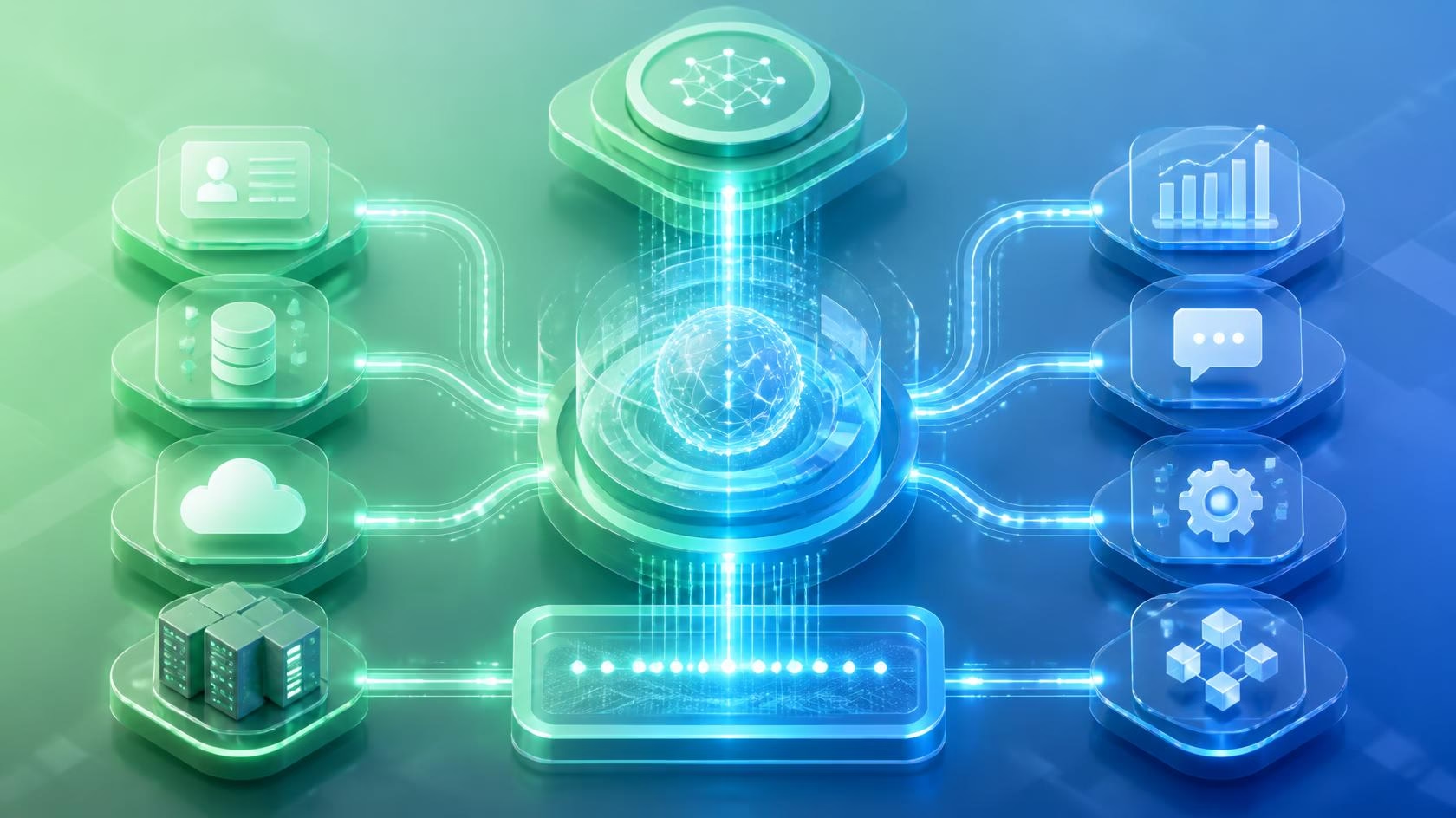

AI is not anymore about chatbots, content generation, and answering questions. Businesses want intelligent AI systems to know the objectives, decide what to do, apply software, search information and execute a series of actions in the multi-step process.
This approach creates an increasing demand in AI Agent Automation. AI assistants which were used to generate information will be able to work with different business systems and perform actions according to certain objectives set up by the system.
Sales agent might require access to the CRM. Finance agent would require information from the financial department. IT agent requires access to the monitoring and cloud services. Customer service agent will require access to the customer records, tickets and knowledge base. But the difficulty is to connect all these different business tools to different AI agents. Here comes to play an important role the Model Context Protocol (MCP).
Model Context Protocol is an open protocol which was developed for standardization of interaction between AI application and external tools, resources and data. The future development of this protocol is going to provide more scalability, security and compatibility of agent-to-tool communication in the enterprise environment. With AI Agent Automation the Model Context Protocol becomes even more powerful.
What Is AI Agent Automation?
AI Agent Automation is the use of AI agents for the completion of tasks and workflows through objective understanding, logical reasoning of actions to take, access to tools needed, information retrieval, and execution of actions.
Traditional automation is mostly based on set rules.
For instance, workflow can be set up in such a way that each time a new form is submitted, a CRM record will be created.
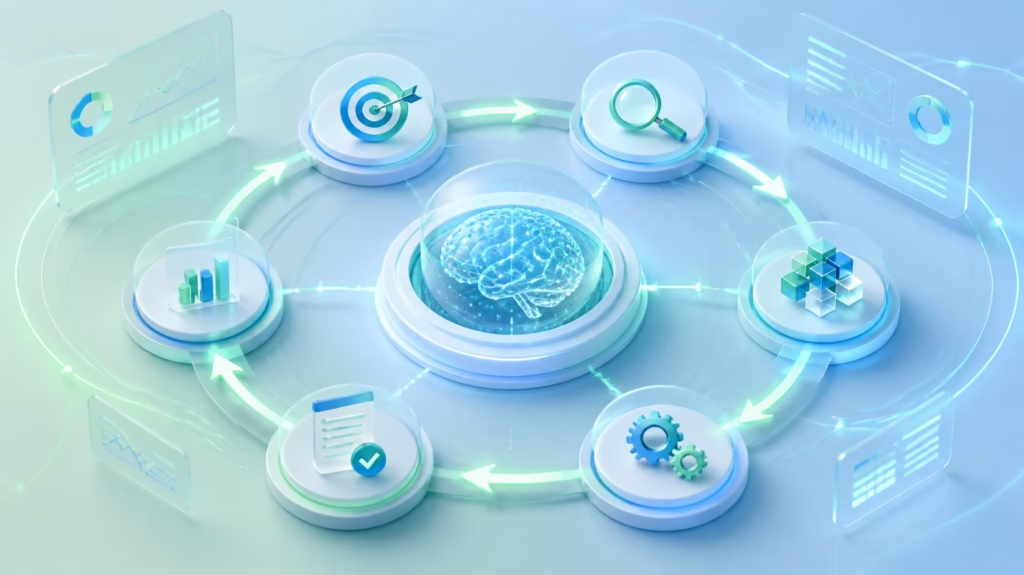
In AI Agent Automation, an AI agent can get a wider goal, understand the required information, choose appropriate tools, do several actions, assess the results and go ahead in the workflow.
An AI Agent Automation process looks like this:
Business Objective -> AI Agent -> Logical Reasoning -> Choosing Appropriate Tools -> Action -> Result -> Next Action
It makes the AI agents suitable for the workflows that require multiple applications or decisions during the execution process.
Traditional Automation vs AI Agent Automation
| Traditional Automation | AI Agent Automation |
|---|---|
| Rule-based | Goal-oriented |
| Predefined workflows | Dynamic workflows |
| Limited decision-making | AI-driven decision-making |
| Usually deterministic | Can adapt to changing information |
| Fixed process logic | Can plan multiple steps |
| Application-specific | Can work across multiple tools |
| Best for repetitive processes | Useful for complex knowledge workflows |
AI Agent Automation does not have to replace traditional automation.
In many organizations, the strongest architecture will combine deterministic automation with AI agents. Traditional workflows can handle predictable operations, while AI agents handle tasks that require interpretation, planning, prioritization, and tool selection.
What Is MCP?
MCP stands for Model Context Protocol. It is an open protocol designed to provide a in a standardized manner, so that AI applications may interface with external software and data.
This idea is rather simple. The application requires some data or wishes to do something, but there is no need for a special implementation for each application separately; MCP provides a standardized way of communication.
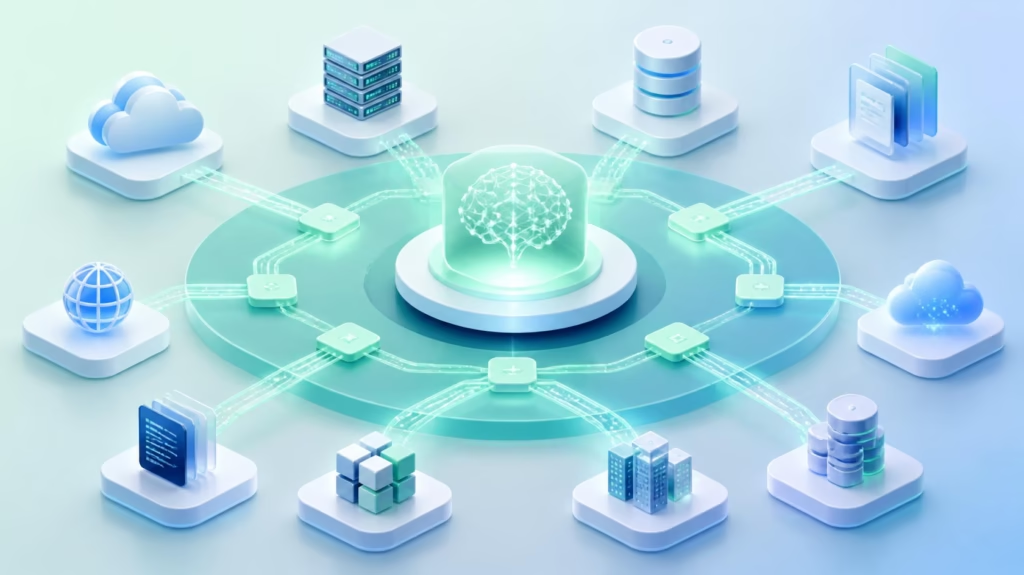
An MCP-enabled environment may connect AI applications with:
- Business APIs
- Databases
- SaaS services
- Internal applications
- Cloud services
- File systems
- Enterprise data
- Business tools
In this sense, MCP can be especially useful for AI automation in enterprises.
An MCP server can provide certain capabilities to an AI application. The AI agent can discover available tools and use them accordingly while performing a particular task.
Why AI Agents Need MCP
AI models are good at understanding language, reasoning, summarizing information, and generating content. However, an AI model alone cannot automatically access a company’s CRM, update an ERP system, query an internal database, or change a cloud configuration.
It needs access to tools. This creates an important distinction between AI reasoning and business execution.
- The AI agent provides the reasoning layer.
- Business systems provide the execution layer.
- MCP can provide a standardized connection between these layers.
A simplified workflow looks like:
User Request → AI Agent → MCP → Business Tool → Business System
The AI agent determines what needs to happen. The connected tool provides the capability to retrieve information or perform an action.
This becomes increasingly important because modern business processes rarely exist inside a single application.
A single workflow may require access to:
- CRM
- Calendar
- ERP
- Customer support
- Analytics
- Databases
- Cloud platforms
- Internal APIs
MCP can help provide a consistent interface for AI applications to interact with these capabilities.
How AI Agent Automation and MCP Work Together
AI Agent Automation and MCP operate at different but complementary levels. The AI agent is responsible for understanding the task and determining what needs to happen. MCP provides the connection layer through which the agent can interact with external capabilities. A typical workflow can contain four major layers.
1. AI Agent Layer
The AI agent receives a request or business objective.
It interprets the task and identifies the required outcome.
2. Reasoning and Planning Layer
The agent determines which information and tools are necessary.
It may need to retrieve data, compare information, call a tool, update a system, verify a result, and then continue to another step.
3. MCP Layer
MCP provides a standardized interface between the AI application and available tools and resources.
The agent can discover and invoke approved capabilities through this layer.
4. Business System Layer
The underlying business application performs the requested operation.
This could include retrieving CRM information, updating a database, creating a support ticket, checking inventory, or accessing analytics.
The overall architecture becomes:
Goal → Agent Reasoning → MCP Tool → Business System → Result → Agent → Next Step
This allows AI agents to become connected to real operational environments.
How AI Agents Connect to Business Tools Through MCP
The process generally starts with an MCP server that exposes capabilities from an underlying system.
For example, a CRM integration could expose tools such as:
search_customerget_customerget_opportunitycreate_activityupdate_customer
A support platform could expose capabilities such as:
search_ticketcreate_ticketupdate_ticketget_customer_history
The AI agent does not need to understand every technical detail behind these functions.
Instead, it works with the available tool definitions and their required inputs.
This creates a clear separation:
AI Agent: Determines what should happen.
MCP Server: Exposes the required capability.
Business System: Performs the operation.
This separation can make AI Agent Automation easier to manage because the reasoning layer and business application layer do not have to be tightly coupled.
MCP Architecture for AI Agent Automation
A simplified architecture can look like this:
User or Business Event
↓
AI Application
↓
AI Agent
↓
MCP Client
↓
MCP Server
↓
Business Tools and APIs
↓
CRM | ERP | Database | SaaS | Cloud | Internal Systems
MCP Client
The MCP client manages communication between the AI application and MCP servers. It allows the AI application to discover available capabilities and communicate with them.
MCP Server
An MCP server exposes tools, resources, and other capabilities to an MCP client. The server can connect those capabilities to APIs, databases, SaaS applications, or internal business systems.
MCP Tools
Tools allow AI applications to perform actions or retrieve information. They are especially important for AI Agent Automation because agents need actionable capabilities rather than information alone.
MCP Resources
Resources provide contextual information that can help an AI application understand a task or access relevant business data.
MCP Prompts
MCP can also support reusable prompt-related capabilities, helping applications structure interactions with connected systems.
Together, these components can create a standardized environment for connecting AI applications to business infrastructure.
Business Tools AI Agents Can Connect With
The value of AI Agent Automation becomes more obvious when agents can interact with the applications employees already use.
CRM Systems
AI agents can work with customer and sales information through approved CRM capabilities.
Potential tasks include:
- Searching customer records
- Retrieving account information
- Updating contact details
- Reviewing opportunity information
- Creating sales activities
- Retrieving customer history
This can help reduce manual data movement between applications.
Customer Support Platforms
Customer service agents can interact with ticketing systems and customer information.
AI-powered workflows can retrieve previous tickets, access customer history, create new requests, update ticket information, and retrieve relevant knowledge.
This can reduce repetitive work for support teams.
Databases
AI agents can also interact with approved business databases.
An agent can retrieve information required for analysis or workflow execution.
However, database access should be carefully controlled. AI agents should not receive unrestricted access to sensitive or production data.
Project Management Platforms
AI agents can interact with project and task management systems to retrieve project information, identify pending tasks, update approved task fields, and coordinate workflow information.
Cloud and IT Systems
AI agents can also interact with infrastructure and operational systems.
Potential capabilities include:
- Retrieving monitoring information
- Checking infrastructure status
- Reviewing incidents
- Accessing deployment information
- Triggering approved operational workflows
This creates opportunities for AI-powered IT operations and DevOps automation.
Analytics and Business Intelligence
AI agents can retrieve business data from approved analytics systems and use that information during decision-making workflows.
Instead of relying entirely on static information, the agent can retrieve current data before producing a response or completing a task.
Benefits of AI Agent Automation With MCP
Standardized AI Tool Connectivity
One of the biggest advantages of MCP is standardization. Businesses increasingly use many applications, and AI systems need access to information across those applications. A standardized protocol can simplify how those capabilities are exposed to AI applications.
Faster AI Integration
MCP can help reduce repetitive integration work when organizations need to connect AI applications with multiple systems.
Instead of creating a completely different interface for every AI application, organizations can expose reusable capabilities.
More Capable AI Agents
AI agents become significantly more useful when they can take actions. Without tools, an agent may only provide recommendations. With appropriate tools, it can retrieve information, perform approved actions, verify results, and continue a workflow.
Better Cross-System Automation
Many business processes require information from multiple systems. MCP can help AI agents interact with different tools during the same workflow. This can support cross-functional processes that would otherwise require employees to move information manually.
Reusable Integrations
A well-designed MCP server can expose business capabilities to compatible AI applications. This can reduce duplicate integration work.
Scalable AI Architecture
As businesses add more AI agents, a standardized tool connectivity model can make it easier to expand the number of systems those agents can interact with.
AI Agent Automation Use Cases
AI Sales Automation
Sales teams work with CRM records, customer information, communication systems, and sales activities. An AI sales agent can retrieve account information, analyze customer data, update approved CRM records, and support follow-up workflows. MCP can provide the tool connectivity required for these actions.
Customer Service Automation
Customer service agents can connect with ticketing systems, customer databases, knowledge bases, and other support tools. An AI agent can retrieve information, understand the request, and perform approved actions.
This can reduce repetitive administrative work and allow human service teams to focus on more complex customer interactions.
Finance Automation
Finance departments manage information across accounting, invoicing, expense, reporting, and approval systems. AI Agent Automation can support information retrieval, reporting workflows, invoice-related processes, and other approved tasks. Because financial data is sensitive, strong access controls and human approval should be used for high-impact operations.
IT Operations Automation
IT teams can use AI agents to investigate incidents and interact with monitoring and infrastructure tools. An agent can retrieve system information, review available signals, identify potential issues, and recommend or perform approved actions.
Marketing Automation
Marketing teams operate across CRM platforms, analytics tools, campaign systems, customer data platforms, and content systems. AI agents can coordinate information across these systems and assist with repetitive marketing workflows.
Business Intelligence
AI agents can retrieve current business information, analyze it, and turn the results into actionable insights. This can make natural-language business intelligence more useful because the agent can work with connected data rather than relying only on static knowledge.
MCP vs Traditional API Integrations
MCP does not replace traditional APIs. APIs remain a fundamental part of modern software architecture. The difference is primarily in how AI applications interact with external capabilities.
| Traditional API Integration | MCP-Based Agent Integration |
|---|---|
| Often application-specific | Designed for standardized AI-tool interaction |
| Developer-defined integration logic | Tools expose defined capabilities |
| Usually tightly coupled | Can support reusable capabilities |
| Application controls workflow | Agent can select tools based on the task |
| Primarily deterministic | Can support dynamic workflows |
| API documentation may be separate | Tool definitions can describe available capabilities |
| Software-to-software integration | AI application-to-tool interaction |
MCP can therefore be viewed as a complementary layer.
An MCP server can use existing APIs behind the scenes while providing an AI-friendly interface to compatible applications.
Security Challenges of MCP and AI Agents
Connecting AI agents to business systems creates significant security considerations. The same capabilities that make AI agents powerful can also create risks if permissions and controls are poorly designed.
Permission Management
Agents should only receive the permissions required to perform their assigned tasks. An agent that only needs to read customer information should not automatically have permission to delete records or change access controls.
Tool-Level Controls
Organizations should classify tools according to risk. Read-only tools, data modification tools, and destructive operations should not automatically receive the same level of access.
Human Approval
High-impact actions should often require human approval.
These may include:
- Financial transactions
- Deleting business records
- Changing production infrastructure
- Modifying user permissions
- Sending sensitive external communications
Authentication and Authorization
Enterprise AI agents need strong identity and authorization controls. Businesses should know which agent, application, user, or service initiated an action and whether that actor was authorized to perform it.
Monitoring and Auditing
Organizations should maintain detailed records of agent activity.
Important information can include:
- Agent identity
- Tool used
- Parameters submitted
- System accessed
- Action performed
- Result returned
- Human approval status
This becomes increasingly important as agents become more autonomous.
Prompt Injection
AI agents can encounter untrusted information from emails, documents, websites, support tickets, and other sources. Malicious content could attempt to influence an agent into performing an unauthorized action. Organizations therefore need safeguards that separate trusted instructions from untrusted content.
Best Practices for Implementing MCP
Start With Low-Risk Workflows
Organizations should not begin by giving an AI agent unrestricted access to critical infrastructure. Start with controlled use cases where the impact of mistakes is limited.
Define Clear Tool Boundaries
Each tool should have a clearly defined purpose. Avoid overly broad tools that allow agents to perform unrelated operations.
Use Least-Privilege Access
Agents should receive only the permissions necessary for the workflow. This limits the potential impact of incorrect decisions or compromised instructions.
Separate Read and Write Actions
Clearly distinguish between tools that retrieve information and tools that modify business systems. This makes it easier to apply appropriate security policies.
Add Human Approval for High-Risk Actions
Critical actions should include approval checkpoints when necessary. Human oversight remains valuable even when an AI agent can technically perform an action autonomously.
Validate Inputs and Outputs
Tool inputs should be validated before reaching the underlying business system. Results should also be checked before the agent uses them for subsequent actions.
Monitor Agent Activity
Logging, observability, and audit trails should be part of the architecture from the beginning.
Design for Failure
AI agents can encounter incomplete information, unavailable services, unexpected responses, or failed tool calls.
Production systems should include:
- Retry mechanisms
- Timeouts
- Error handling
- Fallback workflows
- Human escalation
- Clear failure states
Keep Business Rules Enforced at the System Level
An MCP layer should not be the only place where important business rules are enforced. Underlying applications should continue to enforce authorization and critical business policies. This creates multiple layers of protection.
How Businesses Can Get Started
Step 1: Identify High-Value Workflows
Look for processes that involve multiple systems, consume significant employee time, and have measurable outcomes.
Step 2: Map Required Tools
Identify every system the AI agent needs to access.
For example:
CRM → Customer Data
Database → Business Information
Email → Communication
Analytics → Performance Data
Project Platform → Tasks
Step 3: Classify Risk
Separate workflows into low-, medium-, and high-risk categories.
Start with low-risk processes before expanding into more sensitive operations.
Step 4: Build or Adopt MCP Servers
Create MCP-compatible interfaces around the capabilities required by the workflow.
Step 5: Connect the AI Agent
Configure the AI application to discover and use the approved tools.
Step 6: Add Governance
Implement authentication, authorization, permission controls, monitoring, logging, and human approval where appropriate.
Step 7: Test Before Production
Test the agent against normal requests as well as unexpected situations.
Testing should include invalid inputs, unauthorized requests, tool failures, ambiguous instructions, unexpected data, and prompt-injection attempts.
Step 8: Measure Results
Track metrics such as:
- Time saved
- Task completion rate
- Error rate
- Human intervention rate
- Workflow duration
- Cost per task
- Employee productivity
This helps determine whether AI Agent Automation is creating measurable business value.
The Future of AI Agent Automation and MCP
The future development of enterprise AI will be directed towards reasoning, tool use, and workflow coordination across applications. At present, MCP becomes crucial in achieving these goals as it enables the development of standards for interaction between AI applications and external capabilities.
As a result of the development of AI-based applications, companies will have different AI-based agents that are responsible for such functions as sales, customer service, finance, IT, marketing, and business intelligence.
Such architecture of future enterprise AI could be the following:
Sales Agent → CRM + Customer Data + Communication
Finance Agent → ERP + Financial Data + Approvals
IT Agent → Cloud + Monitoring + Infrastructure
Support Agent → Tickets + Knowledge Base + Customer Data
There is the potential for these agents to cooperate among themselves while using controlled tools to interact with the enterprise’s systems. It gives us an idea of AI Operating Layer within the company. Nevertheless, the future of AI Agent Automation will not be determined by the number of tools at the disposal of the agent. It will depend much more on the ability of the businesses to control the tools.
Organizations will need to balance autonomy with:
- Security
- Compliance
- Reliability
- Human oversight
- Data protection
- Auditability
- Cost management
The strongest AI implementations will treat AI agents as operational software rather than simply conversational interfaces.
AI Agent Automation and MCP: What Businesses Should Remember
AI Agent Automation gives the reasoning and decision-making abilities needed to manage complex enterprise workflows. MCP offers a standard way of integrating AI applications into tools, resources, and enterprise business systems. They can thus help companies develop AI agents that do not only answer questions but also take part in actual business processes.
The complete process can be explained as:
Understand → Plan → Access → Act → Validate → Continue
It can thus be used in sales automation, customer service, finance, IT operations, marketing, data analysis, and many other enterprise workflows. But more autonomy equals more accountability. Companies thus need to pay attention to such things as controlled access, least privilege, robust authentication, human approvals for critical actions, monitoring, and measurable results. The aim is not to let the AI agent have access to everything. The aim is to provide it with proper tools, context, access rights, and autonomy.
Conclusion
The next wave of AI in business is not just about finding a way to come up with better answers. The next step is to develop AI solutions that have the ability to understand objectives, to obtain business information, use software tools, undertake actions that are within the permitted parameters and carry out complex workflows. The intelligence and reasoning part comes from AI Agent Automation, while the standardized interface between AI applications and other external tools and sources comes from MCP.
The combination of these two products has the potential to bring a new dimension to sales automation, customer service, finance, IT operations, marketing, business intelligence, and enterprise process automation. As AI agents develop their capabilities, the question that the businesses will have to address very carefully is how will they interact with technology ecosystem.
But the organizations that will win in this game will be those that provide AI agents with tools, context, permissions, governance and objectives. That’s where AI Agent Automation and MCP could be the foundation of the next wave of intelligent business operations.
FAQs
What is AI Agent Automation?
AI Agent Automation uses AI agents to understand business goals, reason through tasks, access connected tools, and perform multi-step workflows with varying levels of autonomy.
What is MCP in AI?
MCP, or Model Context Protocol, is an open protocol that provides a standardized way for AI applications to interact with external tools, resources, and data sources.
How does MCP help AI agents?
MCP can make it easier for AI applications to discover and use external capabilities, allowing AI agents to interact with business systems instead of only generating responses.
Can MCP connect AI agents to business software?
Yes. MCP-compatible servers can expose capabilities connected to CRM systems, databases, SaaS applications, APIs, cloud platforms, and internal business tools.
Is MCP an API?
MCP is a protocol rather than simply another API. It is designed specifically around AI applications interacting with tools and contextual resources. MCP servers can use existing APIs to connect to underlying systems.
Will MCP replace APIs?
No. APIs remain important for software integration. MCP can operate as an AI-oriented interface layer that uses APIs and other technologies underneath.
Is MCP secure for enterprise AI?
MCP can be used as part of enterprise AI architectures, but security depends on implementation. Businesses should use authentication, authorization, least-privilege access, validation, monitoring, auditing, and human approval for sensitive operations.
Why is MCP important for AI Agent Automation?
AI agents need access to real-world tools to perform useful tasks. MCP can provide a standardized way to expose and access those capabilities, helping agents move from generating information to participating in business workflows.